Showing posts with label ubuntu. Show all posts

Sunday, March 6, 2011

How to Create CD to ISO Image File on Linux

  It is so simple .To create iso image file from linux, you don’t need any software. It can be done by only just one command on terminal


cat /dev/scd0 > /home/haroon/ubuntu.iso


Reference


http://www.tech-recipes.com/rx/2769/ubuntu_how_to_create_iso_image_from_cd_dvd/


Friday, September 17, 2010

Installing Joomla 1.5.20 on Ubuntu 10.04

Installing Joomla on Ubuntu is not very much tricky but don’t know why It took my too much time and gave error again and again I followed the Ubuntu Official guideline to install Joomla It gave me the following error on my browser 

SQL Error  Jos_session table doesn’t exist

Then I followed another blog to install Joomla and got successful to install Joomla over my favorite Ubuntu 10.04

The following are steps I follow to install Joomla

1) Pre-requisite LAMP installing

Just type the following command to install LAMP from pre-package software

$tasksel


LAMP


Just Select LAMP Server and press ok the installing goes on ….


2) Registering your joomla directory on apache Server


Just type the following command


$etc/apache2/sites-available/default etc/apache2/sites-available/joomla


$/etc/apache2/sites-available/a2ensite joomla


3)Reloading Apache Server


$/etc/init.d/apache2 reload


4)Set up MYSQL database for Joomla cms


$mysql -u root -p


Enter password: ****


$mysql> create database joomladb;


$mysql>\q


5)Install Joomla in Ubuntu


$cp -R /home/haroon/Documents/Joomla_1.5.20-Stable-Full_Package/ /var/www/joomla


$chown -R www-data.www-data /var/www/joomla/joomla/


Open you browser and type localhost/joomla


the following page open in your browser and this page itself guide to joomla install till end .


Joomla

Wednesday, March 3, 2010

Tuesday, August 18, 2009

Adding Urdu Support in Ubuntu

Ubuntu provides full support for reading and writing Urdu but it requires some packages to be installed.

To configure Urdu in Ubuntu follow the below link
http://ubuntu.sabza.org/2007/05/16/enabling-urdu-support-in-ubuntu/

Monday, July 27, 2009

Voice chat with Google talk user using Empathy Messenger

Few days back one of my unknown friend called me and asked to me that can we do voice chat on Ubuntu Linux with Google talk? and he told me that Pidgin and Gaim messengers don't support voice chat with Google talk in current release(Pidgin is working on video and voice support for details click on link).At that time I don't know its detail, After doing some search I got solution for this matter.

We can do voice with Google talk on Ubuntu using Empathy Messenger. Empathy Messenger consists of a rich set of reusable instant messaging widgets, and a GNOME client using those widgets. It uses Telepathy and Nokia’s Mission Control, and reuses Gossip’s UI. To Setup Empathy and Google talk click here

Sunday, July 26, 2009

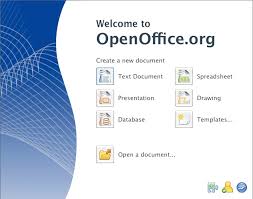
The Free and Open Productivity Suite


Open office (OO)3.1 is available for download(since May 2009) with great improvements and many new rich features. I agree Microsoft is leader as far as office products is concern but what point I am willing to discuss here, what normal users requires and what features most of the peoples are using. All features provide us to open office with great user friendly way, I am not geek office user but what I need I got from open office.
Peoples ask to me, Is Open Office is compatible with Ms office 2007 ,then I ask to those people Is Ms Office 2007 compatible with Open Office .You can easily open Ms office 2007 file (docx,pptx) on Open Office and can edit and save it on 2003 doc formate but Ms office 2007 not provides this functionality in inverse.

I gather few of users experiences from Internet and feature of Open Office what it provides free of cost which I `would like to share with you .

Features
  1. Free Of Cost
  2. Easy to Use
  3. Multi-Platform
  4. Multi-lingual
  5. Compatible with all office suit including Ms Office 2003/2007 (Ms Office is not compatible)
  6. Power full extensions/plug-ins
  7. Almost provides all features of Ms office in a user friendly way
  8. Periodically updates and new releases
  9. etc
Open office 3.1 new feature list available at http://www.openoffice.org/dev_docs/features/3.1/


Below are some user experiences

http://openoffice.blogs.com/openoffice/2009/06/openofficeorg-31-outline-level-feature-.html


Conclusion :
Use free office suit OO ,it provides all functionality which we required (Ubuntu built in installs OO as Office productivity tool)and make piracy free Pakistan

Bookmark and Share

Friday, July 24, 2009

Adobe Photo Shop On Ubuntu

Ubuntu provides GIMBS software as alternative of Adobe Photo shop but its not too much rich as Adobe Photo shop so you can run adobe photo using wine see below link for configuring Photo Shop

http://luiscosio.com/how-to-adobe-photoshop-cs2-on-ubuntu-10-steps
http://wiki.winehq.org/AdobePhotoshop


Bookmark and Share

Tuesday, July 21, 2009

Enable XDMCP protocol in Terminal Server Client ubuntu

XDMCP (X Display Manager Control Protocol) to provide a solution for the X-Terminal and to provide a platform of efficient Remote X Apps environment.

To enable XDMCP in ubuntu install xnest using command
sudo apt-get install xnest

after installing xnest
Navigate to Application---> Internet ---> Terminal Server Client
XDMCP protocol is enable in Terminal Server Client in utility

Friday, July 10, 2009

Open Source OS Ubuntu

Open Source OS Ubuntu

From few days I am thinking about how to eliminate software piracy from Pakistan .What are softwares mostly used in Pakistan illegally ,The answer is straight forward “Microsoft Windows” and “Microsoft Office”. Is any open source alternative available ? I think yes its Ubuntu. The second question raise in my mind, Are all peoples satisfy with using of Microsoft Windows ? I think no because of viruses and system got slow after few month.

I started my career by using open source, I learned Java ,mostly used open source software in my development but these software run over Microsoft Windows and I disliked and were thinking about is alternative which is equally user friendly and stable.

Ubuntu is Debian distribution of Linux provides solution for my all question .Approx 2 years I was using Linux fedora but its resource hungry, not too much user friendly, lot of hardware driver issues,much work required to do on terminal, not provides complete solution for end users. When I installed Ubuntu I got surprised. It automatically installed all hardware driver (rich repository of driver) , It is light weight not much resources required and solved my all problems,It is user friendly. I am going to write few of qualities of Ubuntu that I really I like.

  • User Friendly

  • Easy to Install

  • Automatically detect all hardware and install all driver

  • Automatically install all required System utilities like

    • Open office (Alternative to Ms Office )

    • PDF Reader

    • Archived solution

    • Messenger(Pidgin)

    • Email client (Evolution)

    • Web Browser (Firefox)

    • Audio and Video player ,

    • Photo and Design Editor (GIMP Image editor like adobe photo shop).

    Note : The above softwares automatically install with Ubuntu but there all lots of open source alternative available for these system utilities which we can install using Add/Remove Application of Ubuntu.

  • Add/Remove Application (Add/Remove Applications is a simple graphical way of installing and removing applications in Ubuntu. To launch Add/Remove Applications click Applications->Add/Remove Applications on the desktop menu system. It automatically searches a compatible required software from web ,download it and install it).

  • Webmin Software (A Web based System administration tool for linux)

  • Mac like awesome graphic

  • Wine and Mono (hel to run Windows based software over linux)

  • No Virus issue (Al hamd-o-lillah)

  • Network Manager to configure network just like windows

  • etc


One more advice for those people who are really depends on windows due to some dependent software ,Use virtual box over Ubuntu and runs only dependent software on it :)

Conclusion

Ubuntu and its System utilities perfectly provide alternative of Ms windows so don't use pirate software and eliminate software piracy from Pakistan and decrease your headache of viruses :)